Build a Content Calendar That Actually Ships: The Search-Intent Framework for Lean B2B Teams
Track what buyers search for, not what you hope to publish. A working content calendar starts with search intent, moves through a three-stage workflow, and lives in one workspace—so your 3-person team ships content that drives visibility without drowning in spreadsheets, meetings, or disconnected tools.
Why enterprise calendars break small teams (and what works instead)
Most B2B content calendars fail before the first publish date. You plan a quarter ahead, assign themes, lock dates—then reality arrives. A product launch pulls your writer. Sales needs a one-pager. Your subject-matter expert goes dark for two weeks. The calendar becomes a record of what didn’t happen.
The problem isn’t discipline. It’s structure. Traditional calendars assume stable capacity, specialized roles, and coordination overhead—conditions lean teams don’t have. In 2025 B2B content marketing benchmark research (1,186 marketers surveyed), teams typically run with 2–5 dedicated people, and 24% operate without a dedicated content team at all [1]. That reality makes meeting-heavy editorial operations fragile.
Tool sprawl compounds the issue. B2B teams commonly manage 8–12 tools across marketing and sales [2], [3]. Gartner reports marketers use less than half of their stack’s capabilities—utilization improved to around 49% in recent surveys [4]. You’re paying for complexity you can’t exploit.
This guide provides a search-intent-driven content calendar framework that survives capacity changes, consolidates work into one workspace, and layers in automation. You’ll get a 5-day quick-start plan, a minimal tech-stack checklist, and a case study: a 3-person SaaS team that lifted organic traffic 40% and improved keyword rankings 3× after consolidating tools and automating updates.
What to do next: Stop treating your calendar as a schedule. Treat it as a prioritized search-demand backlog that you schedule second.
Step 1) Lead with search intent, not publish dates
High-performing small teams don’t ask “What are we publishing Tuesday?” They ask: “What problems are our buyers solving right now—and what intent do they express when they search?”
Here’s why it matters: date-first planning optimizes for output. Intent-first planning optimizes for outcomes—visibility, qualified sessions, pipeline contribution. Benchmark research shows content teams struggle to align content to the buyer journey and differentiate under resource constraints [5]. Intent-first planning is the simplest lever to improve relevance without adding headcount.
How to build an intent-first backlog
Cluster keywords and questions into four intent buckets:
- Problem-aware (pain + symptoms): “why is [process] slow,” “how to reduce [risk]”
- Solution-aware (approach comparison): “best way to do X,” “X vs Y,” “alternatives”
- Product/implementation (how-to): “how to implement X,” “setup checklist,” “templates”
- Proof/validation (risk reduction): “case study,” “ROI,” “security,” “pricing”
Map each backlog item to:
- Primary keyword + 3–8 close variants
- Search intent statement (one sentence): “The searcher wants to…”
- Target reader role (RevOps lead, IT manager, finance)
- Conversion angle (demo, template, newsletter, contact sales)
- SERP expectation (guide, checklist, calculator, comparison)
Examples for a B2B SaaS selling workflow automation
- “workflow automation examples” → problem-aware → needs inspiration + use cases → publish as a listicle with screenshots and mini-templates.
- “workflow automation vs scripting” → solution-aware → wants tradeoffs → publish as a comparison with decision table and constraints.
- “workflow automation rollout checklist” → implementation → wants step-by-step → publish as a downloadable checklist plus guide.
Prioritize without bureaucracy
Use a simple scoring model:
- Business value (1–5): Does it align to your ICP and revenue motion?
- Ranking feasibility (1–5): Can you realistically compete with your current authority?
- Effort (1–5): SME time, design needs, data needed.
Prioritize by: (Value + Feasibility) − Effort. Your “calendar” becomes a ranked queue. Dates come later.
What to do next: Write intent statements for your next 15 content ideas. If you can’t describe the intent in one sentence, the brief isn’t ready—don’t schedule it.
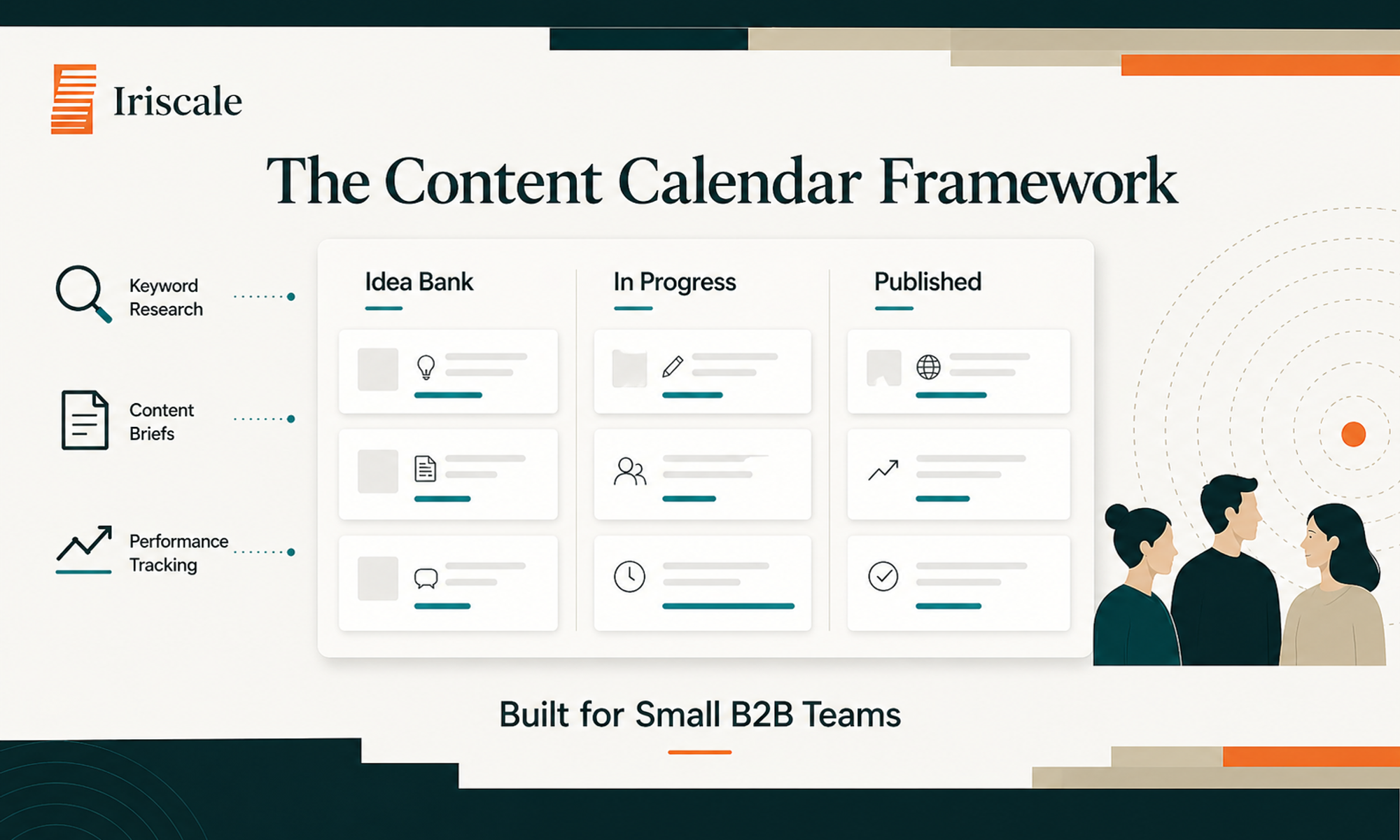
Step 2) Run a three-stage workflow: Plan → Produce → Publish
Small teams don’t need a 12-step editorial process. They need a process that survives interruptions and makes ownership obvious. A three-stage workflow does that—especially when your team is 2–5 people (a common reality in B2B content teams) [1].
The workflow
Plan → Produce → Publish (with crisp definitions):
Plan (clarity)
- Keyword cluster + intent statement
- Angle (what you’ll say that’s different)
- Outline + required inputs (SME questions, screenshots, data)
- Success metric (what “good” looks like)
Produce (creation)
- Draft → revise → finalize
- Design assets (optional but deliberate)
- Internal review (time-boxed)
Publish (distribution + measurement)
- On-site SEO checks (title, headings, internal links)
- Repurposing plan (LinkedIn post, email snippet, sales enablement)
- Tracking setup (search performance + conversions)
Define “done” for each stage
Calendars break when “Plan” becomes “we talked about it.” Fix that with definitions:
- Plan is done when: brief + outline + target keyword + CTA are in the workspace.
- Produce is done when: draft is editable by anyone and includes internal links to 2–3 related pages.
- Publish is done when: the URL is live and the repurpose tasks are queued.
Assign roles without specialized headcount
On a 3-person team, roles rotate. Use RACI-lite (one owner, one reviewer, one supporter) per piece:
- Owner: drives it across stages; no shared responsibility.
- Reviewer: gives feedback within 48 hours.
- Supporter: supplies SME input, visuals, or distribution.
A weekly cadence that doesn’t require meetings
- Monday (30 min): backlog triage + select next 2 items
- Midweek (async): reviewer feedback
- Friday (20 min): publish checklist + performance notes for last week’s posts
Many teams experiment with AI but only a minority integrate it into daily workflows [1], [5]. This workflow is the right place to insert AI support (brainstorming, outlining, first-draft assistance) without chaos: AI helps in Produce, while Plan and Publish remain human-led guardrails.
What to do next: Create a single “Definition of Done” card for Plan/Produce/Publish and pin it in your workspace. If it’s not “done,” it can’t move forward—no exceptions.
Step 3) Centralize keywords, briefs, and performance in one workspace
If your “content calendar” lives in one tool, briefs in another, drafts in a third, and performance in a dashboard no one checks, you don’t have a calendar—you have a scavenger hunt. Tool sprawl is common: B2B teams often operate with 8–12 tools [2], and early-stage teams can juggle 10–20 tools [3]. Gartner’s reported utilization levels (around half of stack capabilities) underline the cost of this fragmentation [4].
What “one workspace” means
Centralization isn’t forcing everything into one app. It means your team has one operational home where every content item has:
- the keyword and intent
- the brief and outline
- links to draft and assets
- status and owner
- publish URL and last-updated date
- performance snapshot + next action
That one home can integrate with your CMS, analytics, and docs—but the command center is unified.
The minimum data model
Create a database/table with these fields:
- Content item (title/working title)
- Primary keyword
- Intent bucket (problem/solution/implementation/proof)
- ICP role
- Funnel stage (optional)
- Owner / reviewer
- Stage (Plan/Produce/Publish)
- Due window (week, not day—small-team friendly)
- CTA
- Internal links to add (2–5 target pages)
- Publish URL
- Performance (sessions, impressions, conversions—whatever you can reliably track)
- Next action (refresh, expand, build links, repurpose)
Examples of centralized briefs that save time
A brief doesn’t need to be long. It needs to prevent rework.
Example: comparison post brief
- Intent: “Searcher wants to choose between X and Y and understand constraints”
- Angle: “Decision matrix by company size + compliance needs”
- Required inputs: pricing tiers, implementation time, security stance
- CTA: “Request a rollout plan” or “Download decision template”
Example: implementation checklist brief
- Intent: “Searcher wants a step-by-step rollout”
- Angle: “90-day rollout with risk controls”
- Required inputs: SME to validate steps, one customer quote (if available)
- CTA: “Copy the checklist” (template)
How Iriscale supports this (without creating more admin)
At Iriscale, we built a unified workspace that keeps the entire lifecycle—keywords → briefs → AI-assisted drafting → publishing tasks → performance notes—in one place. Your “calendar” updates itself as work progresses. For small teams, the win isn’t “more features.” It’s fewer handoffs and less time lost reorienting across tools (context-switching is widely recognized as a productivity drag).
What to do next: If a teammate asks “Where’s the latest brief/draft/performance for this piece?” more than once a month, centralization is your next project.
Step 4) Automate repetitive updates and status tracking
Small teams don’t lose because they lack ideas. They lose because they spend their best hours on status pings, link chasing, and manual updates. Consolidation trends in martech are accelerating under economic pressure and AI adoption [6]—automation is no longer “nice to have” when you’re running lean.
What to automate first
Automate tasks that are:
- repetitive
- rules-based
- easy to get wrong manually
- required for every piece
Start with these:
- Stage change notifications
- When a card moves from Plan → Produce, notify reviewer + assign a due window.
- Brief-to-draft scaffolding
- Auto-create a doc outline with headings, FAQs, and internal link placeholders once the keyword is set.
- Publish checklist generation
- When status becomes “Ready to Publish,” spawn a checklist: metadata, internal links, CTA, tracking tags.
- Performance check reminders
- 14 and 45 days after publish, prompt: “Update performance fields + decide next action.”
- Repurposing tasks
- On publish, automatically create 2–3 distribution tasks (LinkedIn post, newsletter snippet, sales blurb).
Keep automation from becoming another system to manage
The trap is building fragile automations across five tools. The safer approach:
- keep triggers inside your primary workspace when possible
- use simple conditions (stage changes, due windows)
- avoid branching logic until the basics work
If your team experiments with generative AI (common across B2B teams) but lacks formal guidelines (63% reported lacking AI guidelines in one benchmark report) [5], automation needs guardrails:
- AI can propose outlines and drafts
- humans must validate claims, add POV, and ensure brand voice
- any statistics or quotes must be sourced and reviewed
Example: “evergreen refresh” automation
- Trigger: performance field shows declining impressions for 4 weeks (or manual flag)
- Action: create a “Refresh” task with checklist:
- update examples
- improve intro for intent match
- add 3 internal links
- add one new section addressing a common objection
- republish/update date (if appropriate)
What to do next: Pick one trigger—“Stage changed to Ready for Review”—and automate only that this week. If it saves you 10 minutes per piece, it compounds fast.
Step 5) Build intelligence layers: performance insights + gap analysis
A calendar that only schedules production is half a system. The other half is learning: which topics drive qualified traffic, which pages need refreshes, and where you have coverage gaps. Benchmark research highlights attribution and ROI measurement as persistent challenges for B2B marketers [1], [5]. The fix isn’t a complex attribution model. It’s an intelligence layer that makes your next decisions easier.
Intelligence layer #1: performance snapshots at the content-item level
For each URL, capture a small, consistent set of metrics:
- Organic clicks/sessions
- Search impressions
- Top queries (3–5)
- Conversions you can trust (newsletter signups, demo clicks, contact form submissions—whatever is configured)
- Last updated
Keep it lightweight. The goal is trend visibility, not perfect analytics.
Example decision rules
- High impressions, low clicks → rewrite title/meta to match intent, improve above-the-fold clarity.
- High clicks, low conversion → adjust CTA and strengthen mid-article proof (mini case snippet, checklist).
- Declining impressions → refresh content, add internal links, expand missing subtopics.
Intelligence layer #2: intent coverage map (your gap analysis)
Create a matrix:
- rows = your core product categories or problems
- columns = intent buckets (problem/solution/implementation/proof)
Fill in what exists. The blank cells are your highest-leverage content gaps because they represent buyer questions you’re not answering.
Example (simplified)
- “Compliance automation”:
- problem-aware: exists
- solution-aware: missing (needs comparisons)
- implementation: missing (needs checklist)
- proof: missing (needs case study)
Your calendar is now driven by a coverage strategy, not random ideas.
Intelligence layer #3: content-to-pipeline annotations (small-team version)
If full attribution is hard, use annotation fields:
- “Used by sales?” (Y/N)
- “Influenced deal?” (anecdotal notes)
- “Common objections addressed” (list)
This aligns content with revenue reality without heavy ops.
Platforms are moving toward unified, data-centric workflows [6]. At Iriscale, we built the intelligence layer directly beside the brief and draft—so you don’t need to “go find” performance every time you plan.
What to do next: Add a “Next action” field to every published piece. If it’s blank, you’re not managing content—you’re just producing it.
Step 6) Use a minimal tech stack (feature checklist + how Iriscale fits)
A minimal stack isn’t “no tools.” It’s the fewest tools that cover the full loop: research → production → publishing → measurement → iteration. This matters because average teams already run many tools (often 8–12) [2], and utilization commonly lags capacity [4]. Small teams feel that gap as wasted time and brittle processes.
The minimal stack: four capabilities (not four products)
Choose tools (or one platform) that deliver these capabilities:
- Keyword + intent research (lightweight)
- capture keyword lists, clusters, and intent notes
- store competitor SERP observations (manual is fine)
- Brief + draft production
- reusable brief templates
- AI assistance for outlines and first drafts (with guidelines)
- version control and comments
- Workflow + automation
- Plan/Produce/Publish stages
- owners, due windows, checklists
- triggered task creation (review, refresh, repurpose)
- Performance + insights
- per-URL snapshot fields
- easy updates and reminders
- gap analysis views (coverage map)
Lightweight stack examples
Approach A: Unified workspace-first (recommended for small teams)
- One workspace that holds keyword research, briefs, drafts, tasks, and performance notes.
- Integrate your CMS + analytics.
- Benefit: fewer handoffs and less admin.
Approach B: “Docs + board” setup
- A docs tool for drafts
- A board/database tool for calendar + automation
- Analytics as a separate reporting source
- Benefit: flexible, but risk of fragmentation and manual updates.
How Iriscale consolidates the stack
We built Iriscale as an all-in-one content workspace: centralizing the content calendar, keyword library, briefs, AI-assisted drafting, workflow automation, and performance tracking in one operating system—so your content strategy doesn’t collapse under tool switching.
This aligns with broader consolidation trends: economic pressure plus AI is pushing teams toward platform-first decisions [6].
What to do next: Audit your content workflow and list every place a teammate must “go look” for information. Each extra destination is a tax. Reduce destinations before you add features.
Case study: a 3-person SaaS team that lifted organic traffic 40% and improved rankings 3×
A B2B SaaS company (mid-market workflow product) had a classic small-team setup: three people—a marketing manager, a content generalist, and a part-time designer. They published “consistently,” yet results were noisy: some posts spiked, most didn’t rank, and updates rarely happened.
What wasn’t working
- Their content calendar was date-driven, planned a month ahead.
- Keywords lived in a spreadsheet; briefs in docs; tasks in a project tool; performance in analytics.
- Status updates took time, so the calendar was often wrong.
- They experimented with generative AI for drafts, but it wasn’t integrated into the workflow (a common gap—many teams experiment, fewer integrate into daily processes) [1].
The change: unified workspace + automation + intent-first backlog
They rebuilt their system around this framework:
- Replaced date-first planning with an intent-first backlog
- Built 6 clusters tied to their ICP’s top problems.
- Wrote a one-sentence intent statement for every item.
- Adopted Plan → Produce → Publish definitions
- No brief meant no scheduling.
- Reviews were time-boxed to 48 hours.
- Centralized everything in Iriscale
- Keyword library + briefs + drafts + internal links + publish URLs + performance notes in one place.
- Automated repetitive operations
- Stage-change notifications
- Auto-generated publish checklists
- 14/45-day performance review prompts
- Repurposing tasks created at publish time
- Added an intelligence layer
- A coverage matrix across intent buckets
- “Next action” for every published URL (refresh, expand, repurpose)
The results (over one quarter)
- +40% organic-traffic lift
- 3× improvement in keyword rankings (measured as a 3× increase in the number of tracked keywords appearing in top positions relative to their baseline)
- Faster iteration: older posts were refreshed on schedule because reminders and “next action” fields made it operationally easy.
Why it worked
- The calendar stopped being a fragile schedule and became a prioritized system.
- Consolidation reduced the “where is that?” time sink (consistent with martech utilization challenges and the benefits of simplifying stacks [4]).
- Automation didn’t replace strategy—it protected focus by removing avoidable admin.
- AI helped with drafting speed, but intent and POV remained human-owned—reducing quality risk when teams lack formal AI guidelines (a reported issue in benchmarks) [5].
What to do next: If you only copy one thing from this case study, copy the rule: no date until the brief is done. It prevents 80% of calendar churn.
Checklist: the lean content calendar framework (copy/paste)
Use this as your setup checklist:
Backlog (intent-first)
- [ ] Define 4 intent buckets (problem/solution/implementation/proof)
- [ ] Create 15–30 backlog items with one-sentence intent statements
- [ ] Score each item: Value (1–5), Feasibility (1–5), Effort (1–5)
- [ ] Prioritize by (Value + Feasibility) − Effort
Workflow (Plan → Produce → Publish)
- [ ] Create three stages with “Definition of Done” for each
- [ ] Assign one owner + one reviewer per item
- [ ] Replace fixed dates with due windows (week-based)
Workspace (single source of truth)
- [ ] Store keyword, brief, draft link, publish URL, and performance snapshot in one record
- [ ] Add fields: CTA, internal links, next action, last updated
Automation
- [ ] Trigger review requests on stage change
- [ ] Auto-create publish checklist when “Ready to Publish”
- [ ] Schedule 14/45-day performance reminders
Measurement
- [ ] Track organic clicks/sessions + impressions + conversions you trust
- [ ] Run a monthly intent coverage gap review
Want a ready-to-use template? Create your workspace in Iriscale and start with the “Plan → Produce → Publish” database structure, then duplicate the fields above.
Common questions about B2B content planning with small teams
1) How far ahead should a small B2B team plan content?
Plan 2–4 weeks of production and 6–8 weeks of prioritized backlog. Small teams frequently get interrupted, so locking dates too far ahead creates churn. Keep the backlog stable and the schedule flexible (based on small-team constraints highlighted in benchmark reporting) [1].
2) How many posts per week is realistic for a 1–3 person team?
A sustainable target is 1 high-quality piece/week plus repurposing. Output depends on SME availability and format complexity (case studies and proof assets take longer than short articles) [5]. Consistency matters less than matching intent and maintaining refresh cycles.
3) Should we use AI to write first drafts?
Yes—if you put guardrails in place. Many teams experiment with generative AI, but fewer have integrated it into daily workflow, and many lack formal guidelines [1], [5]. Use AI for outlines, structure, and drafting, then require human review for accuracy, POV, and brand voice.
4) What’s the single best metric to prove content is working?
For organic content, start with search impressions + clicks/sessions, then layer in a conversion proxy you trust (demo click, signup, contact). Attribution is a common challenge in B2B content programs [1], [5], so use per-URL trend snapshots and sales feedback annotations until you can mature measurement.
5) How do we avoid tool sprawl while still being “data-driven”?
Shift from “more dashboards” to one operational workspace plus a small set of performance fields. Industry reporting commonly notes average stacks in the 8–12 tool range [2], and utilization often underperforms capability [4]. Your best ROI comes from fewer tools used well—especially when the team is small.
Build your calendar in 5 days (quick-start plan)
Day 1: Create your unified workspace (one database/table). Add the required fields: keyword, intent, stage, owner, due window, CTA, publish URL, performance, next action.
Day 2: Populate 20 backlog items from sales calls, support tickets, and existing keyword notes. Write one-sentence intent statements.
Day 3: Build three brief templates (problem guide, comparison, checklist) and define “done” for Plan/Produce/Publish.
Day 4: Add two automations: review request on stage change + publish checklist on “Ready to Publish.”
Day 5: Publish one piece using the framework, then schedule 14/45-day performance reminders.
If you want the fastest path to consolidation, request an Iriscale demo to see how the keyword library, briefs, AI-assisted drafting, workflow automation, and performance snapshots live in one place—so your small team spends time creating, not coordinating.
Related Guides
- B2B Content Ops for Lean Teams: how to run reviews, SMEs, and refreshes without meetings
- Search-Intent Brief Writing: a repeatable brief format that prevents rewrites
- Evergreen Refresh System: how to update content monthly for compounding traffic
Sources
[1] https://www.themxgroup.com/wp-content/uploads/2024/10/B2B25_MX_Takeaway-REV.pdf
[2] https://nytlicensing.com/latest/trends/b2b-content-marketing-2021/
[3] https://marketingsolutions.endeavorb2b.com/wp-content/uploads/2024/05/EBM24_Marketing_Benchmark_Report.pdf
[4] https://databox.com/b2b-marketing-benchmarks
[5] https://business.linkedin.com/advertise/resources/b2b-benchmark/2024
[6] https://multifamilystrategicmarketing.com/wp-content/uploads/2024/11/2-2024-State-of-Marketing-HubSpot-CXDstudio-FINAL-2.pdf